Appearance
Application Security
Application Security Graphics Coverage
Primary chapter graphic: Cross-Site Scripting Attack Paths, SQL Injection Attack Patterns. Accepted graphics: 2. Reviewed non-signal pages: 1. Open graphics in review: 0. QA status lives in graphics audit and visual review ledger.
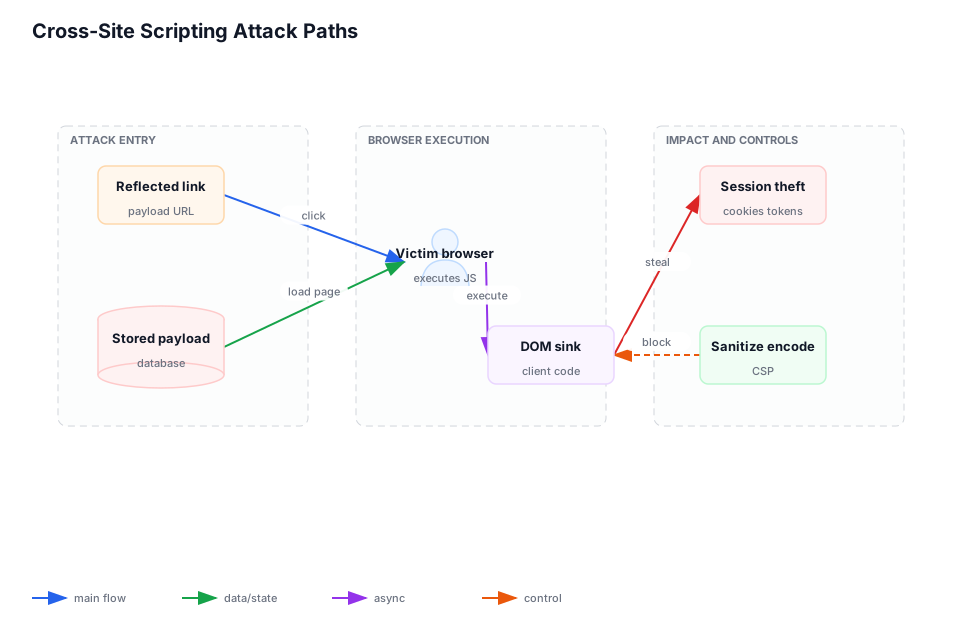
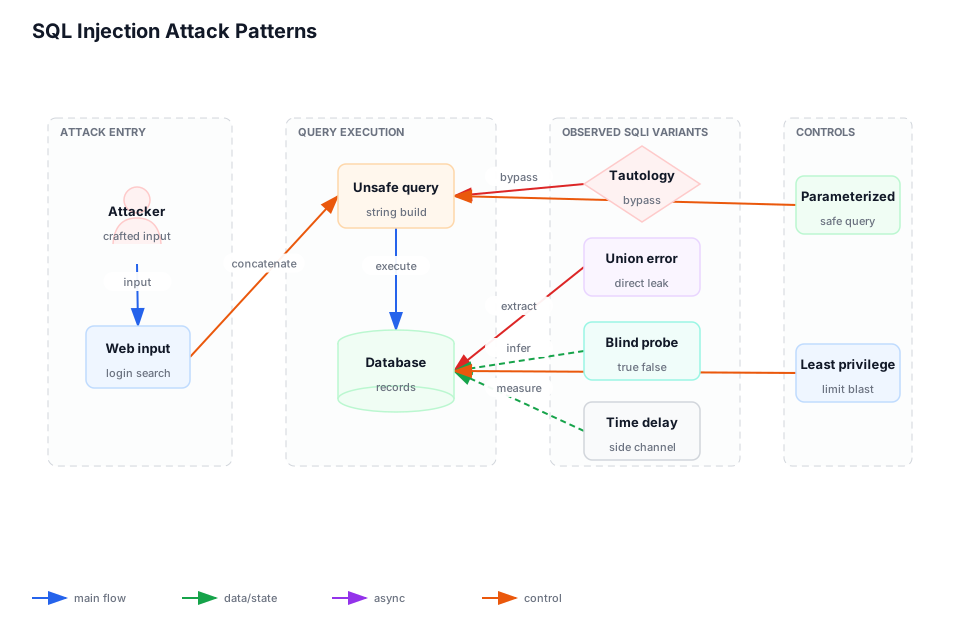
Corpus pages: p. 55, p. 253, p. 295, p. 322, p. 341-342 Coverage: 6 pages; low-confidence extraction ranges: p. 322
This chapter is part of Marius's owned architecture build corpus. The text routes decisions; durable implementation signal is carried by accepted graphics, reviewed non-signal decisions, and the linked QA audit.
Chapter Visuals
Accepted graphics carry the canonical design signal for this chapter. Each selected source page is either accepted as a graphic or explicitly marked non-signal in the source-faithful ledger. Review and QA state live in visual inventory, visual review ledger, and graphics audit.
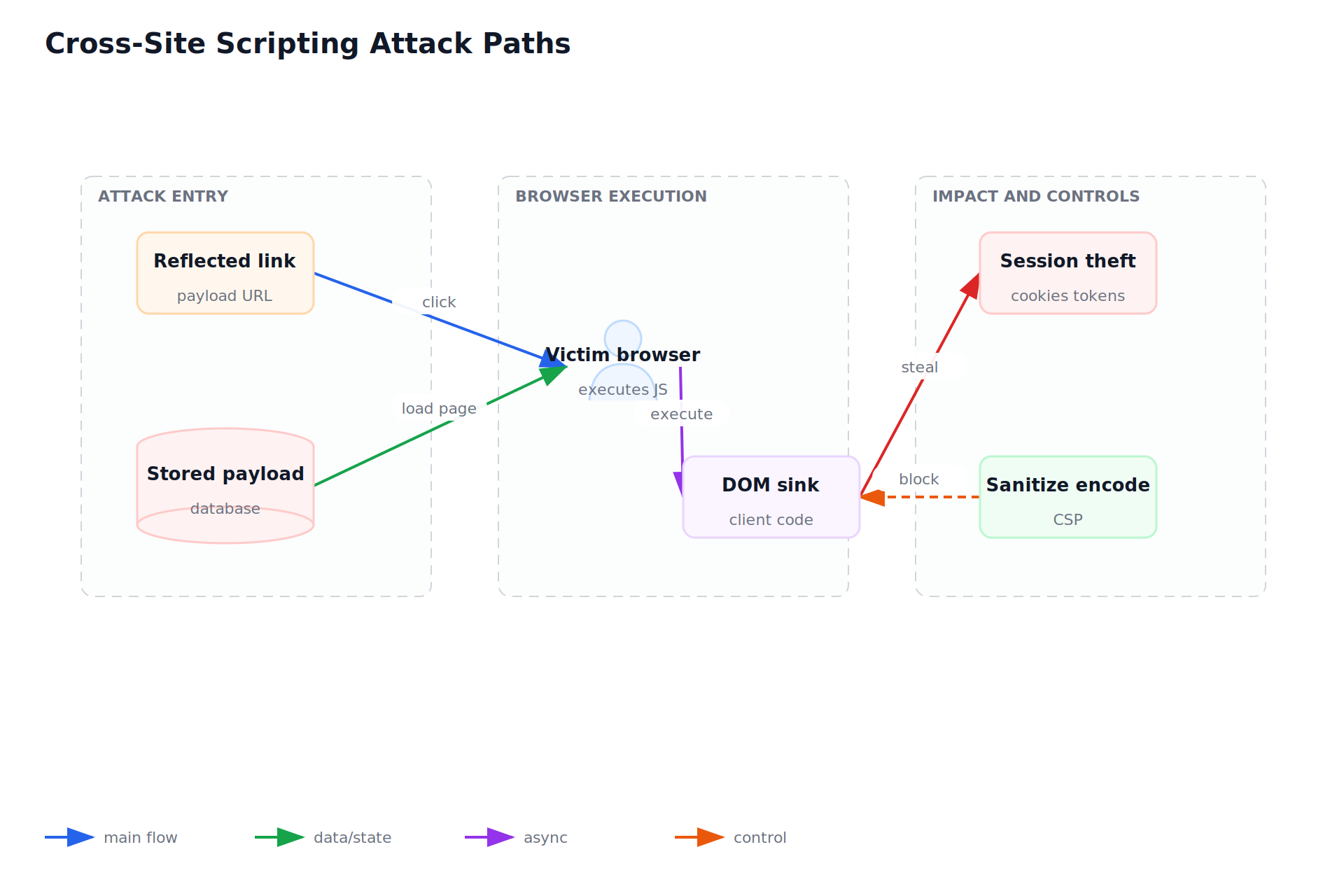
Cross-Site Scripting Attack Paths
- source-page: p. 347
- batch: 14
- status: accepted
- reviewer-status: reviewed
- fidelity-score: 0.9
- spec: bbg-p0347-web-request-lifecycle-web-request.json
- svg: bbg-p0347-web-request-lifecycle-web-request.svg
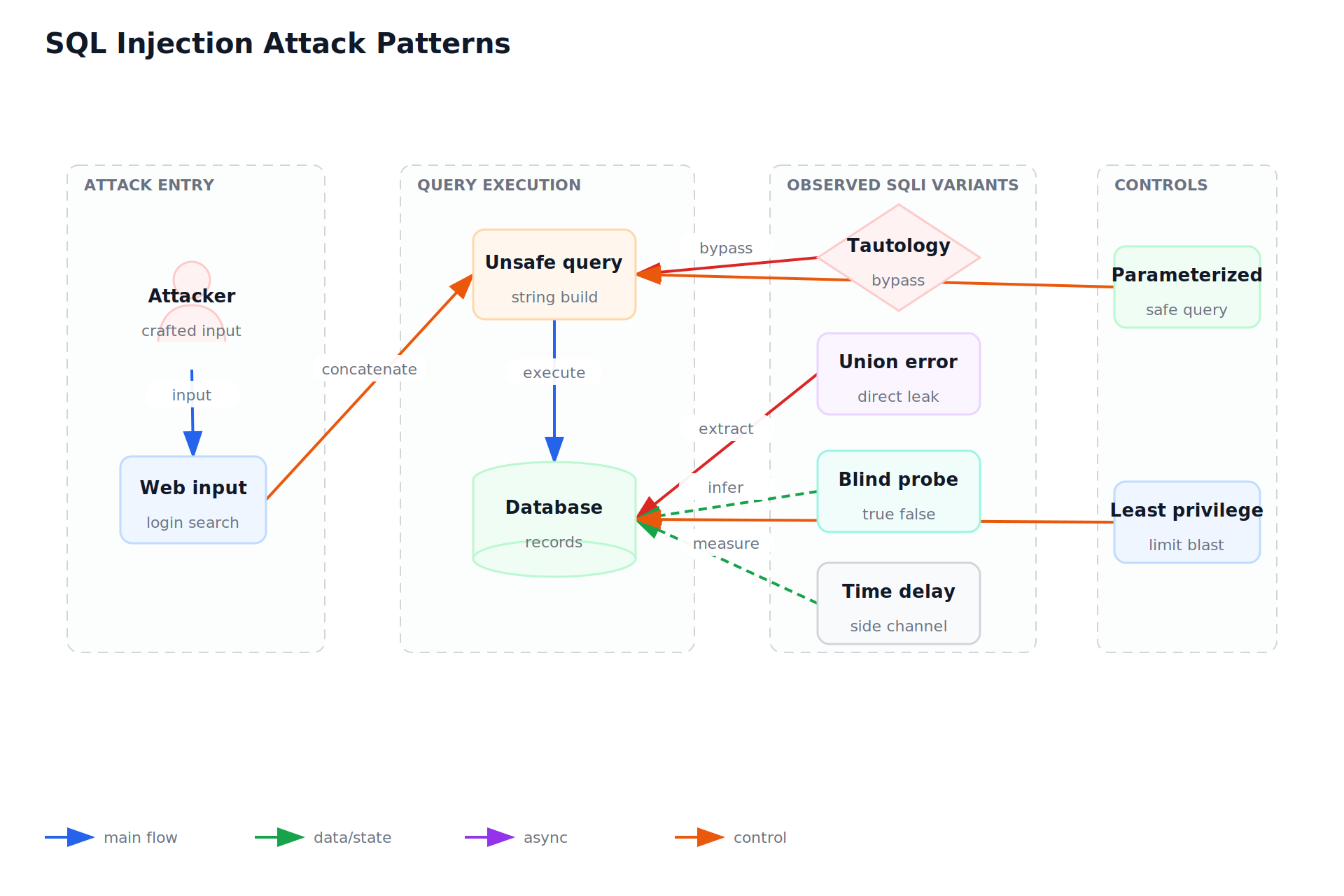
SQL Injection Attack Patterns
- source-page: p. 341
- batch: 20
- status: accepted
- reviewer-status: reviewed
- fidelity-score: 0.9
- spec: bbg-p0341-application-security-application-security-authentication.json
- svg: bbg-p0341-application-security-application-security-authentication.svg
Open Review Queue
- none
Reviewed Non-Signal Pages
- Application Security: Topic + Database Map: source p. 253; batch 27; status non-signal/reviewed; ledger reason in visual-review-ledger.json
Use When
- User input, credentials, private data, or public endpoints create abuse paths.
Avoid When
- The change is fully offline and handles no untrusted input.
Core Model
- Security is a set of boundary checks around input, identity, data access, execution, and output.
- Prefer explicit ownership over accidental coupling. Every boundary should say who owns correctness, cost, data, recovery, and change.
- Use corpus page pointers for inspection, and keep the chapter notes focused on reusable design decisions.
Implementation Guidance
- Validate input shape, encode output by context, parameterize queries, and store secrets outside logs and code.
- Write the smallest useful design note: purpose, inputs, outputs, state, failure behavior, observability, and rollback.
- Choose the first implementation that can be tested against the real workflow without hiding a known production risk.
Tradeoffs
- Central controls reduce repeated mistakes, but sensitive flows still need local tests.
- Centralization reduces duplicated work but can become a bottleneck when every team needs exceptions.
- Specialized infrastructure helps at scale, but it must earn its operational cost.
Failure Modes
- Escaped content is safe in one context and unsafe when reused in another.
- The diagram shows boxes but not ownership, retry behavior, data freshness, or user-visible failure.
- The system has no proof path for the highest-risk assumption.
Decision Checklist
- Add tests for injection, cross-site scripting, authorization bypass, replay, and secret leakage.
- Name the owner, source of truth, timeout, retry policy, and evidence that the path works.
- Add one regression check for the failure mode most likely to recur.
Neutral Automation Examples
- A form intake service stores raw submissions separately from sanitized display fields.
- A neutral internal automation starts with fixtures, then adds credentials, permissions, and production scheduling only after the boundary is tested.
- A customer-facing workflow keeps irreversible actions behind explicit approval until metrics show it is safe to automate further.